
Tattoo stencil maker
Turn a photo into a clean tattoo stencil
Pick a reference, tune the linework, and download a black-and-white stencil — free, in your browser, with nothing uploaded. When it has to go on skin at an exact size, Stencira prints it true to scale with a ruler on every sheet.
What the stencil engine actually produces
This is the in-app demo photo and the unedited output of the Stencira engine with the Bold Transfer preset. More pairs, including a portrait, a fine-line sketch and bold blackwork, are on the examples page.
Animal photo (the in-app demo): Bold Transfer preset
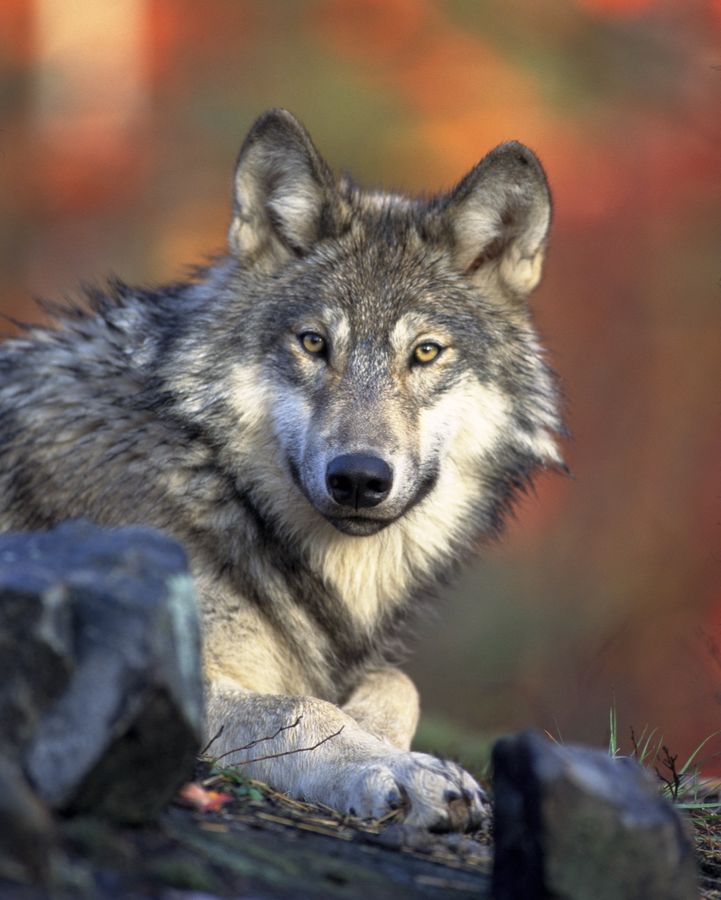
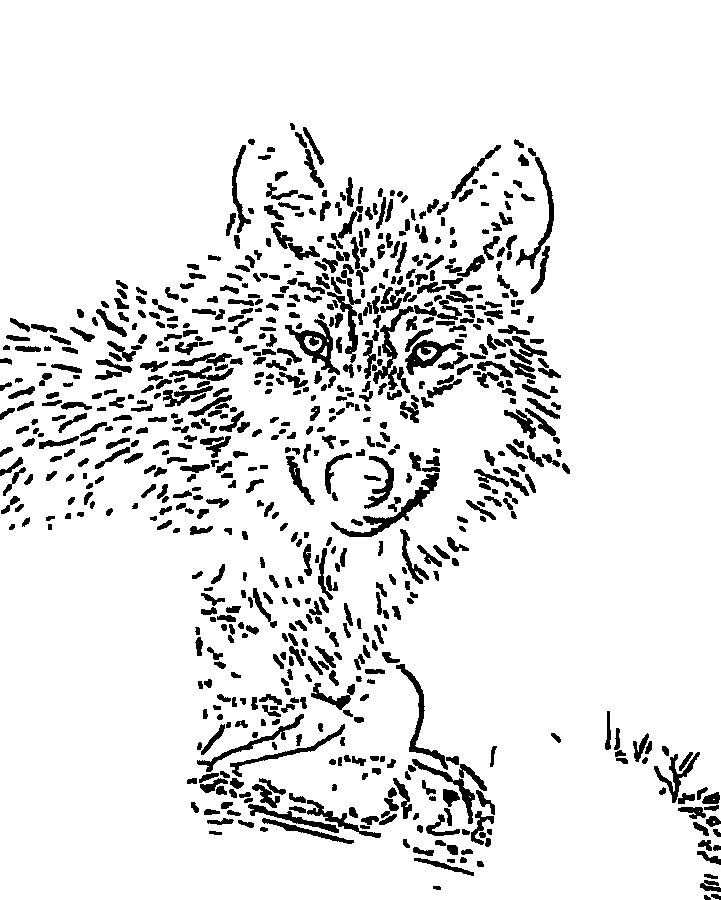
Settings: detail 45, contrast 60, noise cleanup 65, line weight 50, shadow fill 15. Rendered at 1121x1400 px by engine f8f6918. Source: Wikimedia Commons (Public domain (USFWS)).

Make a stencil from a photo
or use your own reference below.
This quick preview is for trying ideas. To print a stencil at an exact size with a calibration ruler, tile large pieces or clean up lines, use the Stencira app.
What a good stencil maker has to get right
Lines, not noise
Stencil linework comes from edges that matter. Too much detail turns skin texture and JPEG noise into specks you have to scrub off later.
Solid blacks on purpose
Shadow fill marks the darkest areas as solid ink. Use it for bold work; leave it off for fine line and portraits you will shade by hand.
The size you agreed
A stencil that prints 8% small is a different tattoo. Printing at 100% and checking a ruler is the only reliable test.
Private references
Client photos stay on your device. Stencira needs no account and never uploads the image.
Questions
How do I turn a photo into a tattoo stencil?
Load the photo, keep the detail moderate so only the important edges become lines, add shadow fill only where you want solid black, then clean up stray marks before printing. The free tool on this page shows a quick preview; the Stencira app adds presets, Apple Pencil cleanup and true-size printing.
Is this tattoo stencil maker free?
Yes. The browser tool on this page is free and needs no account. The Stencira app is free to try with unlimited previews and watermarked exports; Stencira Pro unlocks true-size PDF, AirPrint, tiled prints and full-resolution exports.
Is my photo uploaded anywhere?
No. The browser tool processes the image on your device with a canvas, and the Stencira app processes and stores photos on your iPhone or iPad. Only anonymous usage events are sent, never the image.
How do I print a stencil at the exact size?
Set the stencil's width or height in inches or centimetres, print at 100% (Actual size) with any Fit to page option turned off, then measure the printed ruler. Stencira puts a 1 inch or 2 cm ruler on every sheet for that check.
Can I print a large tattoo stencil on normal paper?
Yes. Stencira tiles a large stencil across several Letter or A4 sheets with overlap guides and crop marks, so you can trim and tape the sheets into one piece before tracing or transferring.
Next: how to make a tattoo stencil step by step, how to print a stencil at its actual size (with a sample PDF you can measure) and before and after examples.